How to Make Tarot Cards With AI: A Practical Guide
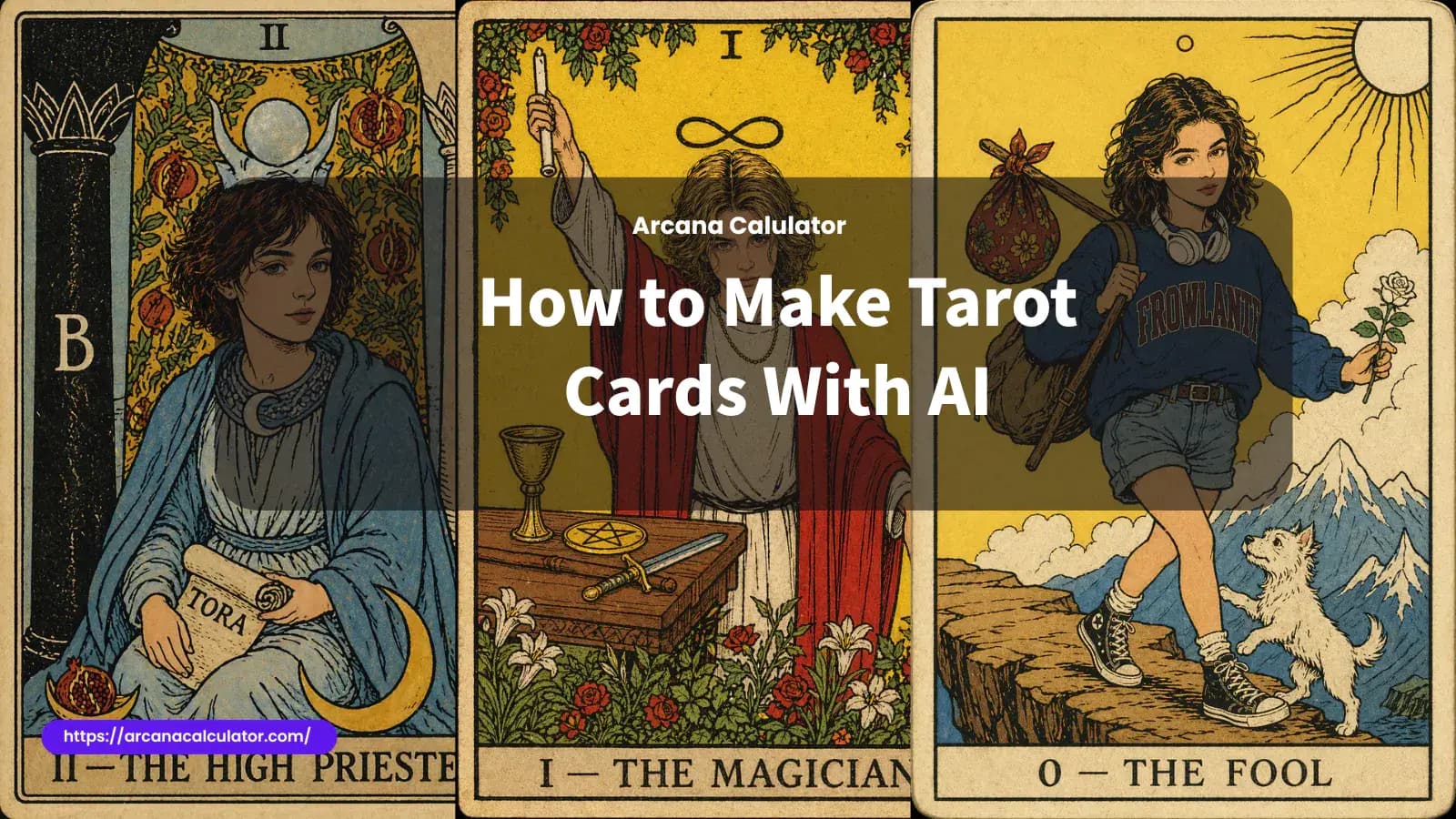
Tarot has always lived at the intersection of image, symbol, and story. A good card does more than look beautiful. It carries a role, a mood, a tension, and a visual logic that people can read almost instantly. That is what makes making tarot cards with AI more interesting than generating generic fantasy art. You are not just asking for a nice picture. You are trying to create an image that feels like it belongs inside a symbolic system.
That difference matters. Many AI-generated images are decorative but hollow. They may look dramatic at first glance, yet fail to communicate a real card identity. A tarot card needs more than a mystical background and ornate frame. It needs a clear archetype, readable symbols, and a composition that feels intentional. Once you understand that, AI becomes much more useful. It stops being a gimmick and starts functioning like a creative partner.
If you are new to tarot, it also helps to know your own archetypal starting point before you begin designing. You can calculate your Arcana number first, then use that result as the foundation for your card concept. That simple step often gives the image much more personal coherence.
What makes a tarot card feel like a tarot card
Before touching prompts or styles, it is worth slowing down and asking what actually makes a tarot card work.
A tarot card usually has four layers at once. The first is the central figure or scene. The second is symbolism: objects, gestures, animals, colors, celestial signs, landscapes, and repeated motifs. The third is emotional tone. The fourth is structure. Tarot cards tend to feel composed rather than accidental. Even when they are visually rich, there is usually a sense that every object belongs there for a reason.
This is why AI-generated tarot art often fails when the prompt is too vague. If you only ask for “a magical tarot card,” the model may give you a nice-looking fantasy poster. But a card should feel more focused than that. It should suggest a role such as initiation, balance, loss, intuition, hope, temptation, surrender, or completion. Without that core identity, the image does not really read as tarot.
Traditional decks like Rider-Waite remain influential for a reason. They are visually direct. Even when the art is stylized, the symbolism stays legible. That is a useful principle to keep in mind even if you want a more modern, darker, or more personalized look.
Start with the card idea, not the software
The biggest mistake people make is starting with the tool instead of the concept. AI can generate quickly, but speed does not replace clarity. The strongest results usually begin with a simple question:
What is this card supposed to mean?
That question does not require an academic answer. It can be emotional, narrative, or personal. Maybe you want to create a version of The Fool that captures the feeling of starting over after leaving a job. Maybe you want a High Priestess card that feels quiet, guarded, and inward. Maybe you are not reinterpreting a traditional card at all, and instead want to create an original archetype based on protection, grief, hunger, ambition, or healing.
Once you know the role, the visual decisions become easier. You can ask what kind of posture fits the card. What symbols belong in the frame. What kind of colors support the mood. What kind of landscape helps the card feel complete.
AI is much better at building from a strong concept than inventing one for you from nothing.
Decide whether you are making a traditional card or a personalized one
There are really two different paths here.
The first is traditional card creation. In this mode, you are designing a card as an object. You might want The Magician, The Star, or a full custom deck in one consistent visual style. The priority is card logic, symbolic readability, and deck coherence.
The second is personalized card creation. In this mode, the card is still symbolic, but it is also about identity. You might want to turn yourself into a Major Arcana figure, or transform a portrait into something that feels like a tarot card. This is where a tool like the AI Tarot Card Generator becomes especially useful, because it gives you a faster path from self-image to symbolic image.
The key is knowing which of these you are trying to do. If you confuse them, the result often becomes muddy. A personalized tarot card still needs archetypal structure. A traditional tarot card still needs strong visual personality. But the emphasis changes depending on the goal.
Build the card from four components
When people say they want to make tarot cards with AI, they often think in terms of a single prompt. In practice, it works better to think in components.
The first component is archetype. What is the card's role? Is it a seeker, a guardian, a ruler, a witness, a dreamer, a destroyer, a healer, a guide?
The second is symbolism. Which objects or motifs reinforce that role? A lantern implies guidance. Water suggests emotion, memory, or flow. Pillars can suggest threshold, structure, or sacred knowledge. A cliff edge signals risk and transition. Stars can imply hope, direction, or distance.
The third is composition. Is the figure standing frontally like an icon? Seated like a ruler? Moving through the frame? Centered symmetrically? Looking away? Composition changes the psychological effect of the card more than many beginners expect.
The fourth is style. This is the outer language of the image. Rider-Waite-inspired linework, woodcut textures, Art Nouveau ornament, celestial fantasy, dark gothic painting, or clean contemporary portraiture can all work. The style should not overpower the card concept. It should sharpen it.
If you define those four parts clearly, AI suddenly becomes much more reliable.
Use prompts that describe function, not just decoration
A weak prompt usually stacks adjectives. A stronger prompt gives the image a job to do.
Compare these two directions in principle. One says: mystical, beautiful, magical, ornate, detailed. The other says: create a tarot card showing a calm intuitive figure seated between pillars, holding a scroll, moon symbolism, symmetrical composition, flat illustrated color, antique printed texture. The second one gives the model structure, not just mood.
That does not mean prompts need to be huge. In fact, shorter prompts often work better if they are precise. The goal is not to write a novel. The goal is to tell the model what kind of card it is making.
A good tarot prompt often includes: the card identity or archetype, the central figure, a few supporting symbols, the composition, the visual style, and the material feeling of the final image. If you are making a portrait-based card, mention likeness retention too. If you are making a deck, mention visual consistency across cards.
Why many AI tarot cards look impressive but still feel wrong
This is the part most quick tutorials skip.
A lot of AI tarot art fails because it overproduces detail without establishing meaning. You get glowing moons, too many objects, dramatic fabric, gold trim, and elaborate frames, but no hierarchy. Nothing tells the eye what matters. The card turns into decoration rather than a symbolic image.
Another common issue is symbolic mismatch. The image may be beautiful but emotionally misaligned. A card meant to express restraint may look triumphant. A card meant to feel inward may look theatrical. A card meant to suggest loss may appear too polished and emotionally empty.
Then there is inconsistency. If you try to make several cards and each one follows a different visual logic, the deck stops feeling like a deck. This is why creators who want more than one card should think beyond isolated generations. Repeated choices in borders, palettes, line quality, framing, and symbolic density matter.
That is also why some users prefer to begin with a dedicated AI Tarot Card Generator instead of using a completely general image tool. A purpose-built workflow can reduce randomness and keep the results closer to card-making rather than generic fantasy illustration.
A practical workflow for making tarot cards with AI
A solid workflow is usually more valuable than chasing the perfect prompt.
Start by deciding whether the card is traditional, original, or personalized. Then write a one-sentence concept for what the card means. After that, choose three to five symbols that genuinely support the concept rather than clutter it.
Next, decide on the visual language. If you want something classic, stay close to flat illustration, controlled symbolism, and clear framing. If you want something more expressive, you can push into gothic, celestial, painterly, or cinematic territory, but try to keep the card readable.
Generate several versions instead of expecting the first output to solve everything.
Then review them with a cold eye. Ask whether the image has a real center. Ask whether the symbolism helps or distracts. Ask whether the emotional tone matches the intended card identity.
Refine from there. Change the composition before you change everything else. Strengthen one symbol instead of adding six new ones. Simplify backgrounds that compete with the figure. Clarify the role. Good tarot imagery often gets stronger through reduction.
Personalized tarot cards work best when the symbolism still comes first
This is especially important if you are uploading a photo.
It is easy to treat a personalized tarot card like a themed selfie. That usually leads to weaker results. The stronger approach is to treat the person as the vessel for the archetype. The face matters, but the card still needs symbolic logic, composition, and mood.
A personalized card should feel like a fusion of likeness and meaning. The person remains recognizable, but the image also becomes more than portraiture. It becomes an interpretation. That is why the best results come when users choose a specific archetype, card role, or emotional theme before generating.
If your goal is to create a portrait-based card quickly, the AI Tarot Card Generator is the most direct route, especially when you want to turn a photo into a card that still feels structured and tarot-like rather than loosely mystical.
Should you make one card or a full deck?
Most people should start with one.
A single card teaches you the core problems: symbolism, composition, mood, and style control. A full deck introduces a bigger challenge, which is consistency. Once you move into multi-card creation, you are not only designing cards. You are designing a visual system.
That means deciding how titles appear, how borders repeat, how color palettes evolve, how much symbolism each card carries, and how different archetypes remain distinct while still belonging to the same deck. AI can help with this, but only if you establish rules early. Otherwise the set drifts.
One successful card is not proof that you have a deck style. It is proof that you have the beginning of one.
Final thoughts
Making tarot cards with AI is not difficult in the shallow sense. Anyone can type a prompt and get an image back. The harder and more interesting part is making a card that feels readable, symbolic, and emotionally true.
That is what separates throwaway tarot aesthetics from images that people actually want to keep, share, print, or build on.
Start with meaning. Choose symbols with restraint. Think about composition before ornament. Decide whether you are making a card, a portrait, or a deck. And if you want to transform a real photo into a more archetypal, visually coherent result, use the AI Tarot Card Generator as the main creation step rather than treating tarot like an afterthought pasted onto generic AI art.
The best tarot cards have always done the same thing: they turn abstraction into image. AI does not replace that challenge. It just gives you a faster way to explore it.